

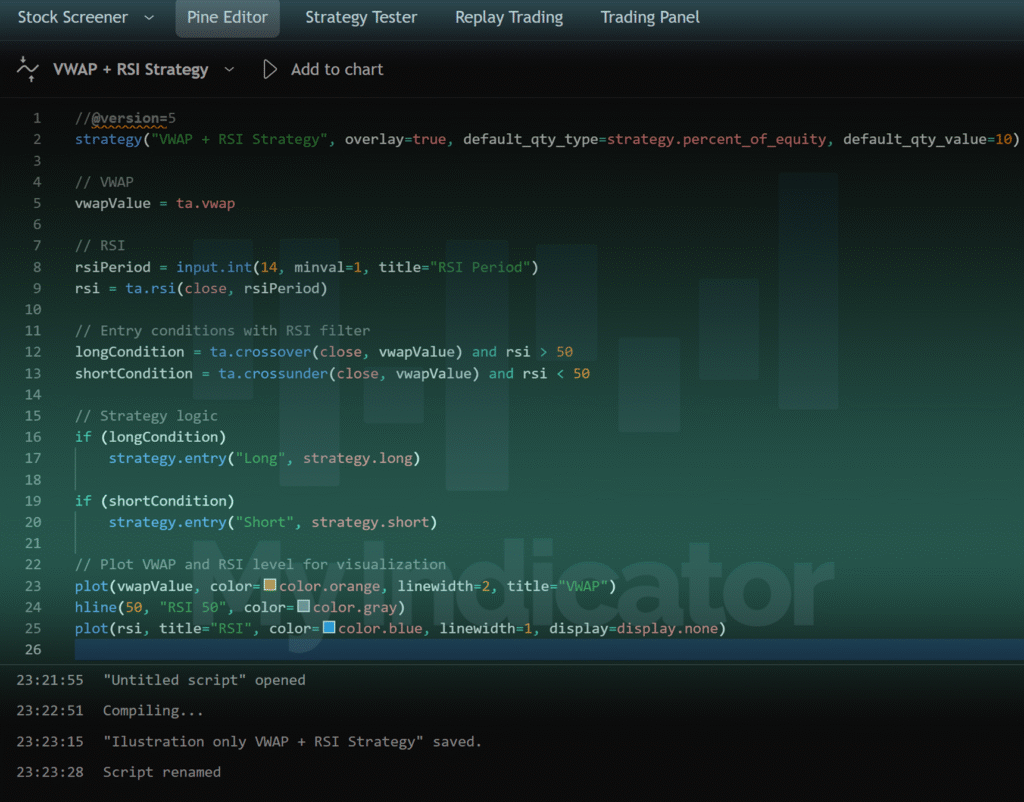
Pine Script – The Language Behind TradingView Indicators and Strategies
For users looking to take full advantage of TradingView’s analytical power, understanding and using Pine Script is a transformative skill. Pine Script is TradingView’s proprietary scripting language, specifically created to help users build custom indicators, alerts, and automated strategies directly within the platform.
Unlike general-purpose programming languages, Pine Script is designed with one goal in mind: facilitating advanced market analysis through simplicity. It’s intuitive and accessible, even for beginners without a technical background, yet powerful enough for professionals developing institutional-grade tools. This makes Pine Script a cornerstone of customization on TradingView.
What Is Pine Script and What Makes It Unique?
Pine Script is a domain-specific language tailored for time-series data, which is what most financial charts represent. This means every line of code directly relates to price, time, volume, and derived indicators. The language is highly readable, with a low barrier to entry. For example, a moving average can be written in one line: sma(close, 14).
What truly sets Pine Script apart is how it integrates into the charting engine of TradingView. Scripts written in Pine are executed natively in the cloud and rendered directly on your charts. This ensures low latency, consistency, and fast iteration.
Pine also allows users to publish their work as either open-source, protected, or invite-only scripts. This has helped create one of the world’s largest public libraries of trading tools, while also allowing developers to monetize and protect proprietary systems.
Capabilities and Use Cases
With Pine Script, users can:
Build custom indicators based on unique trading ideas
Combine multiple indicators into a unified system
Create visual overlays like lines, arrows, shapes, zones, and labels
Generate backtestable strategies that simulate trades
Set conditional alerts that trigger based on logic
This flexibility means Pine Script is used by a wide spectrum of users—from amateur coders testing simple concepts to hedge fund analysts building multi-layered decision models.
One of the greatest strengths of Pine is its support for strategy development. Using strategy() declarations, you can code buy/sell logic, position sizing, and run visual or data-driven backtests. These features are critical for validating trading ideas before risking capital.
Pine also continues to evolve. Recent versions have introduced arrays, matrices, user-defined functions, and optimization features that open the door to machine learning-style modeling and deeper statistical insight.
Best Practices for Scripting in Pine
To use Pine Script effectively, it’s important to follow some core principles:
Keep it simple at first: start with modifying existing scripts.
Test rigorously: every line of code should be stress-tested in different market conditions.
Use version control: label your scripts with version numbers as you iterate.
Stay efficient: avoid heavy loops or unnecessary complexity, which may slow down execution.
Be clear and documented: add comments to explain logic; it helps both you and future users.
These habits not only lead to better scripts but also allow for scalability and collaboration with other traders.
Writing Your First Pine Script – A Simple Example
Let’s walk through writing the simplest possible script: a custom moving average that turns green when the price is above and red when below.
//@version=5
indicator("My First MA", overlay=true)
ma = ta.sma(close, 14)
color = close > ma ? color.green : color.red
plot(ma, color=color, linewidth=2)
Here’s what each line does:
@version=5sets the Pine version.indicator(...)initializes a chart overlay with a title.ta.sma(...)calculates the 14-period simple moving average.color = ...assigns green or red based on the condition.plot(...)draws the line using the logic above.
You can copy this code into the Pine Script editor in TradingView, add it to a chart, and see the indicator in action. From here, you can expand it by adding alerts, extra plots, or integrating with other indicators.
Conclusion
Pine Script is more than just a coding language—it’s a gateway to full control over how you analyze and interact with the markets. Whether you’re building a simple trend indicator or designing a complex trading bot, Pine empowers you to bring your trading vision to life within TradingView.
The ability to script, test, and deploy your own tools is a defining trait of serious, systematic traders. With Pine, that capability is now in your hands.